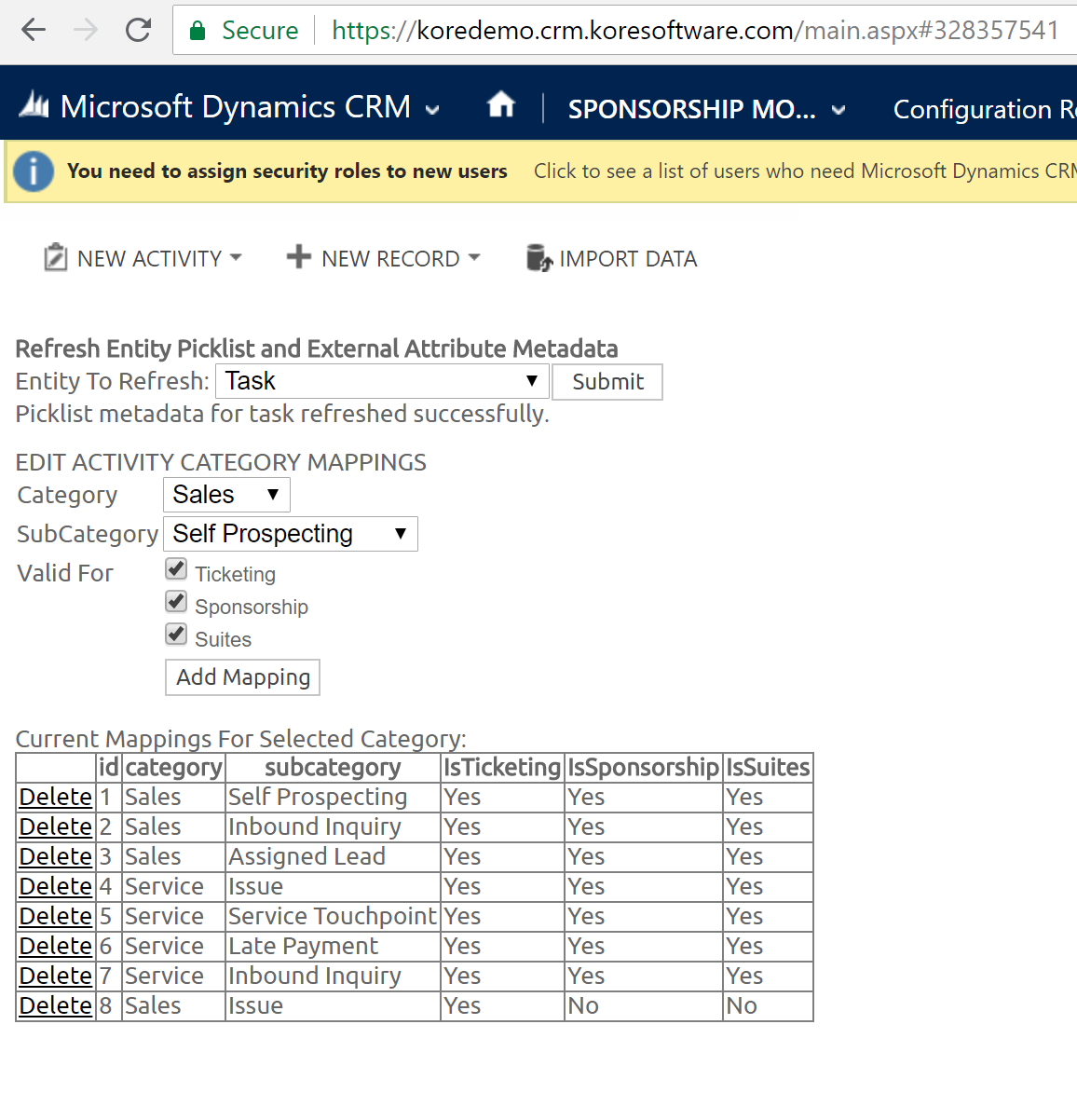
HOW TO EDIT ACTIVITY CATEGORY AND SUB-CATEGORY
*Edits will show up on the activity record no matter the module
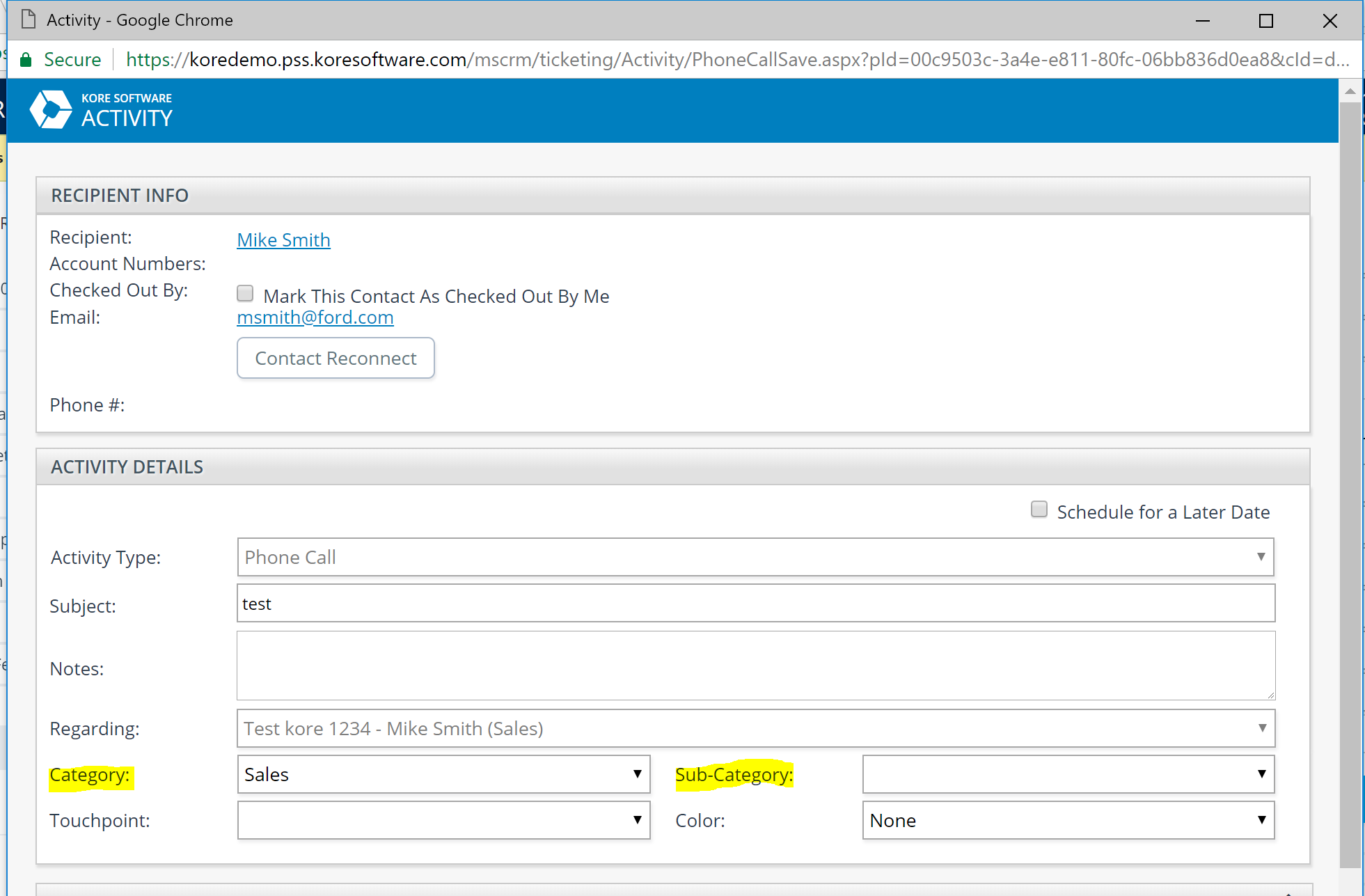
To edit the CATEGORY
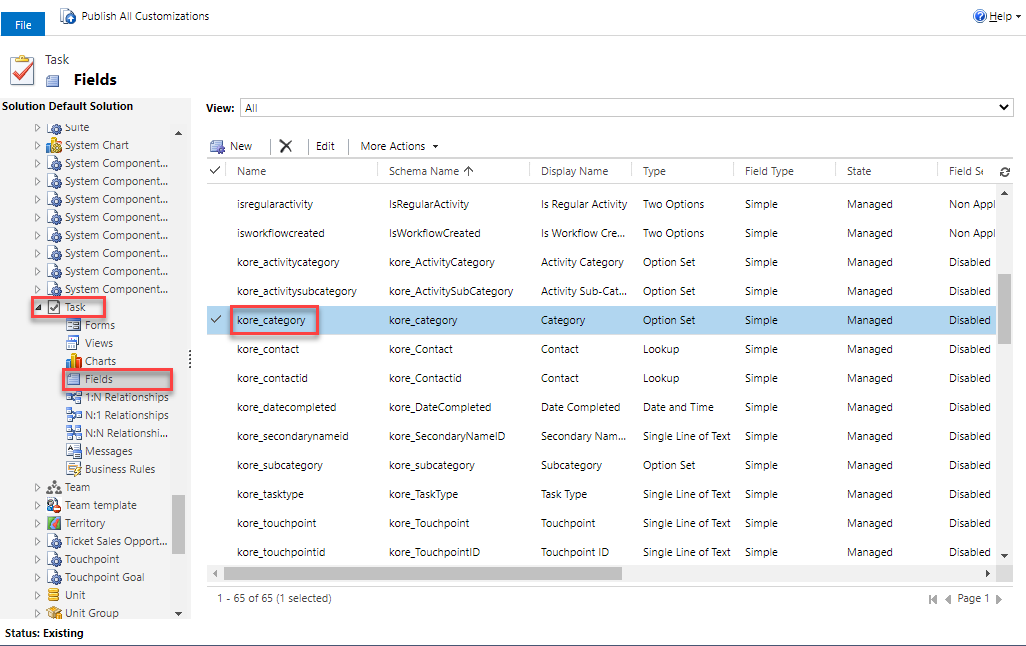
In Settings, navigate to your Customization tile and select “Customize the System”
From there, follow the path: Entities -> Task -> Fields -> kore_category
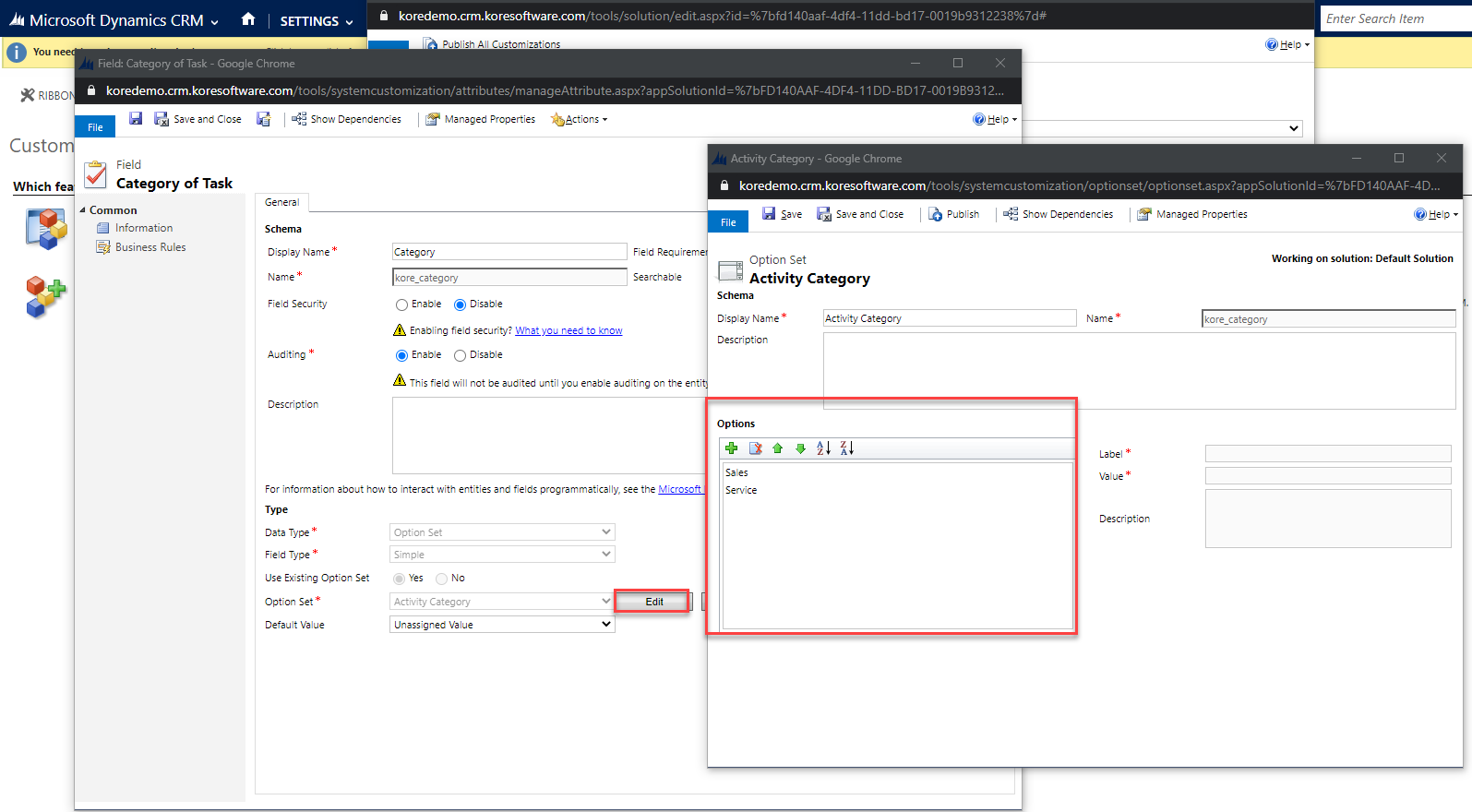
Once you open the kore_category you can edit and add additional values
To edit the SUBCATEGORY
Follow the same steps but select kore_subcategory
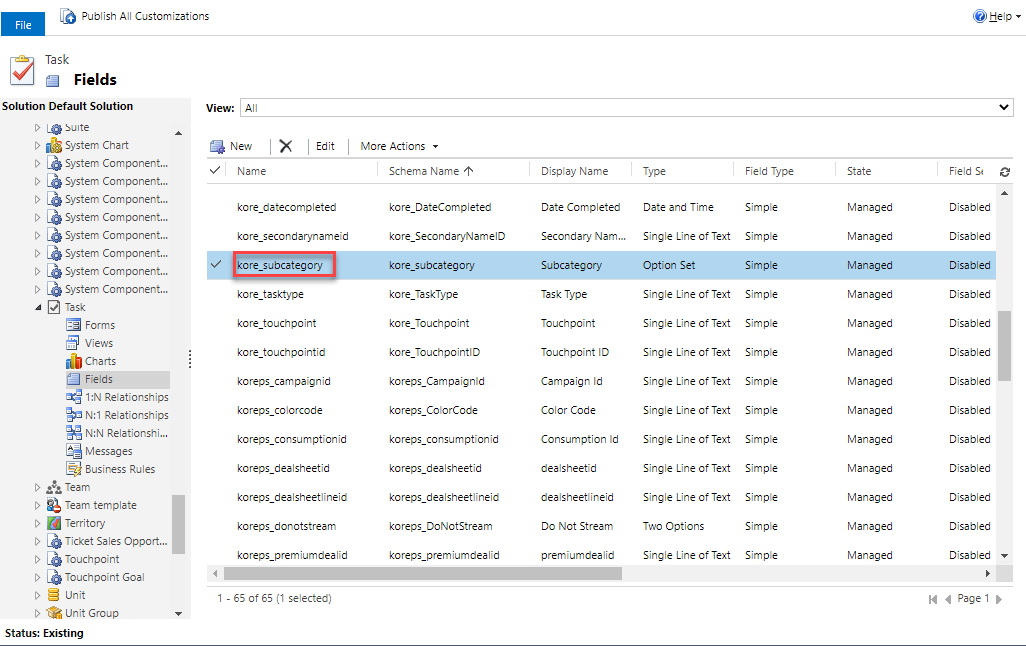
In order to surface the new Category and Sub-Category options created, you must map it out as follows:
- Navigate to your Configuration Records from either the Ticketing or Sponsorship module
- Click on “Refresh CRM Customizations” under the KORE section
- Select Task and hit Submit. A “Edit Activity Category Mappings” section will appear where you can edit the Category and Subcategory mappings